Getting from survey data to agreed quantities takes too much work
Survey files, design levels, and quantity calculations often sit in different places. Preparing a progress review or an invoice means finding the right versions, checking how volumes were calculated, and explaining the results to everyone involved.
The site changes between surveys
Excavation, filling, and stockpile movements continue while your team works from the last captured conditions.
Every review depends on a specialist
Site managers and commercial teams need answers, but opening and interpreting survey files often falls to the same few people.
Design levels and actual conditions are separate
Checking where material still needs to be removed or placed takes extra work when surveys and design surfaces are in different tools.
Reporting repeats the same work
Moving figures, screenshots, and explanations between tools adds preparation time and makes revisions harder to follow.
A volume figure does not explain itself
Without the survey date, measurement boundary, and reference surface, quantities are difficult to check and compare.
Bring the survey, calculation, and supporting context together so your team can review quantities and understand what they represent.
See how your earthworks progress over time
www.avagpro.com
www.avagpro.com

See where levels have changed
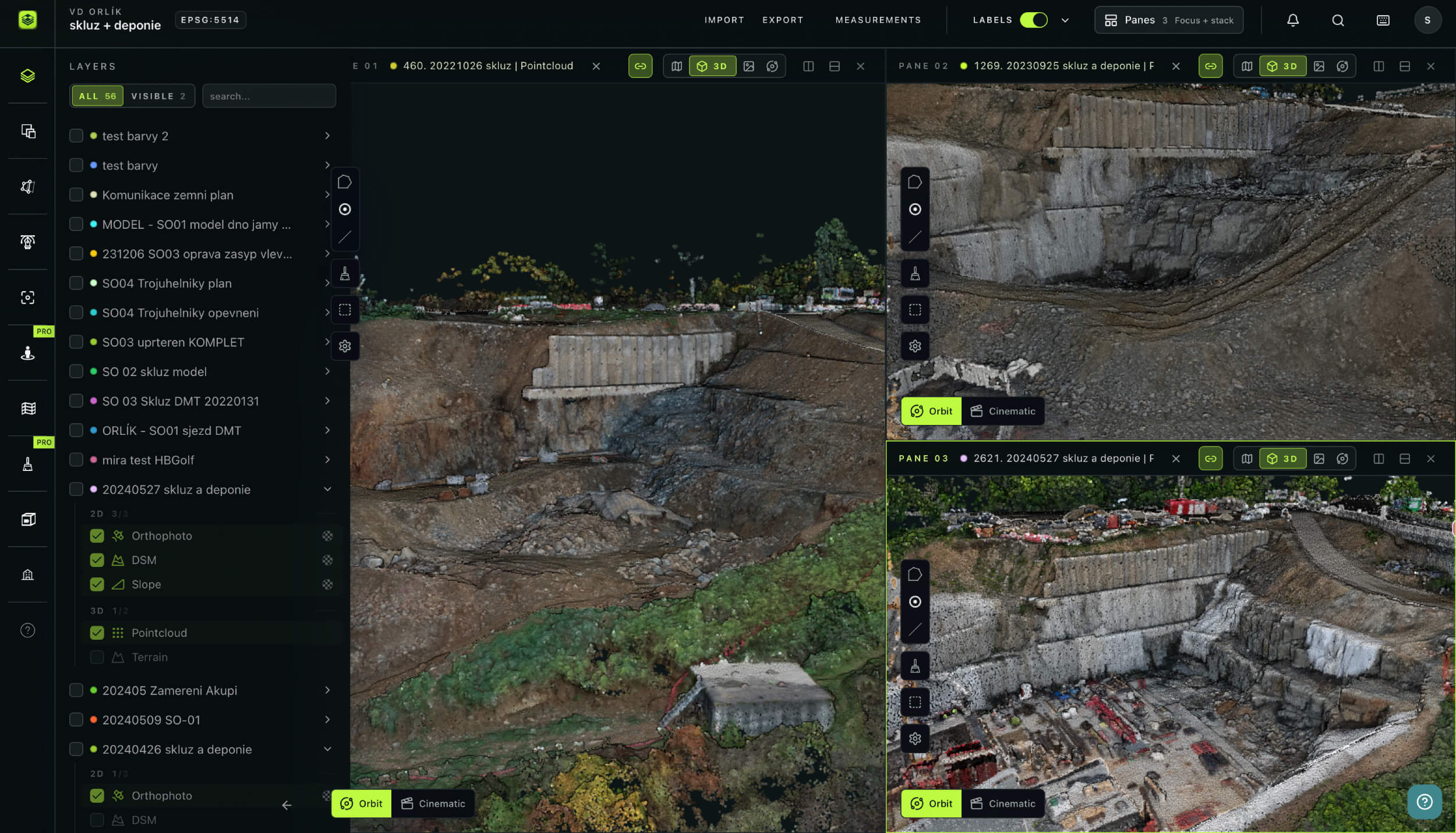
Compare elevation profiles from different survey dates to see where ground has been excavated, fill has been placed, or stockpile levels have changed. Follow the same line or arc across surveys to review changes in height and shape.
Prepare quantity documentation your team can review
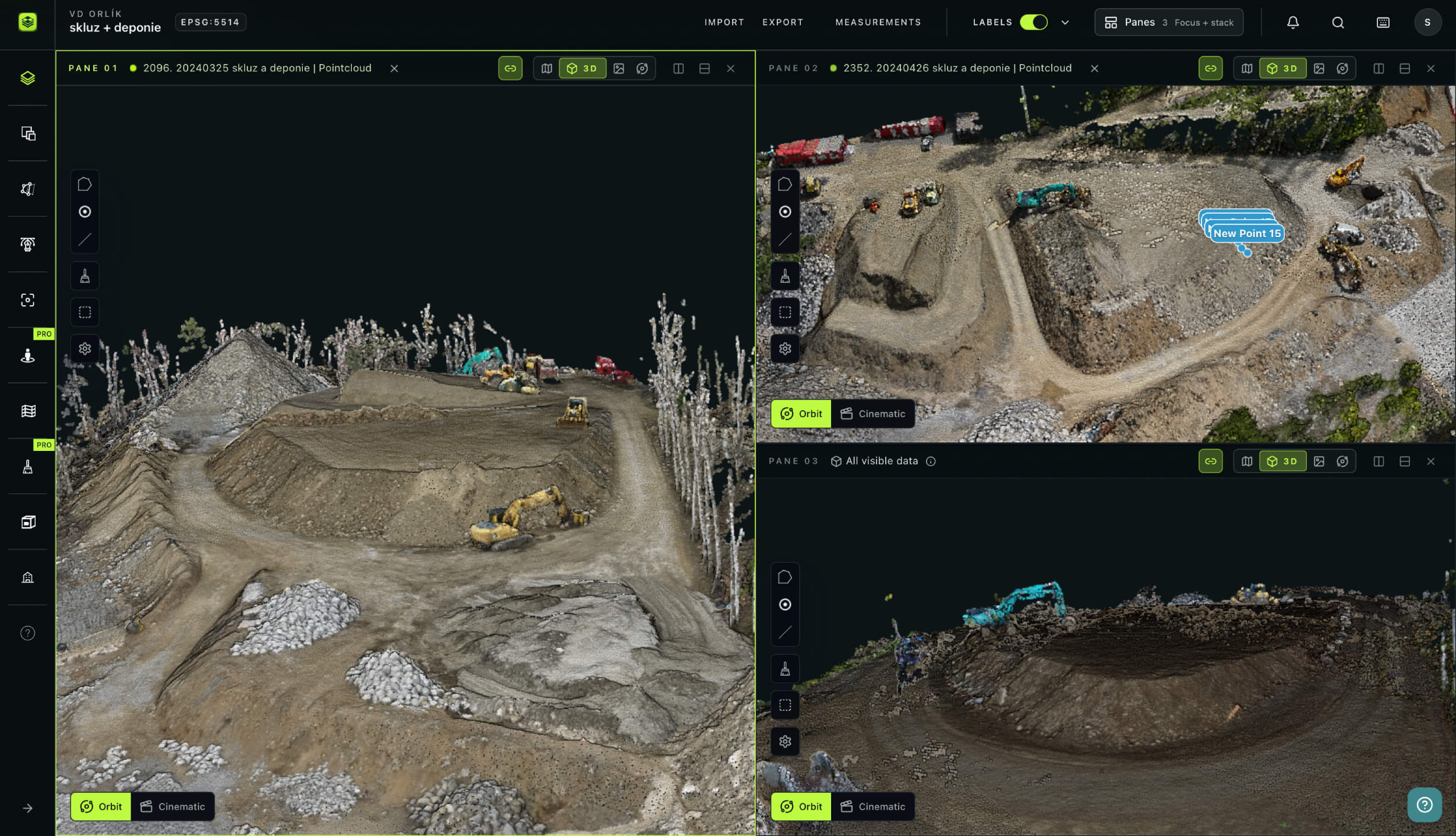
Export PDF measurement protocols to support progress reviews, quantity checks, and invoicing. Give colleagues access to the project so they can review the underlying measurements alongside the report.
Use Notes to record observations at specific locations. Keep questions about a boundary, surface, or site condition connected to the area being discussed.
www.avagpro.com
Earthworks
How AVAG helps earthworks teams
Move from captured site conditions to documented quantities in one shared workspace. Surveyors, site managers, and commercial teams can review measurements, compare progress, and work from the same project data.
See how STRABAG uses AVAG to process drone surveys and prepare earthwork documentation for a 10.5 km section of the D35 highway.
earthwork invoicing protocols prepared from drone surveys on STRABAG’s D35 project

Your new workflow
Monday 9am
Monday 11am
Monday 2pm
Monday 3pm
Monday 4pm
Monday 5pm
Result
Benefits
Why earthworks teams choose AVAG
Clearer volume calculations
See how each volume was calculated, with all details available to review.
Documentation for quantity reviews
Export PDF measurement protocols to support reporting and invoicing discussions.
Design comparisons in context
See how surveyed levels relate to the design and where cut or fill remains.
Access across the project team
Progress across survey dates
Compare captured conditions to understand how excavation, filling, and stockpiles have changed.
A record you can return to
Trusted by market leaders
Start your free trial
14 days • 200 GB storage • No credit card required
Bring in a site survey, calculate a volume, and see how AVAG fits your earthworks workflow.

Solutions
Frequently asked questions
How does AVAG calculate earthwork volumes?
AVAG calculates volumes within a defined polygon boundary. You can measure an elevation dataset against a base surface or calculate the difference between two elevation datasets.
Can I compare the surveyed site with the design?
Yes. You can import LandXML design surfaces and compare them with surveyed elevation data. DXF drawings can also provide context in the project. The datasets need compatible coordinates and correct alignment for a meaningful comparison.
Can I see where material needs to be removed or added?
Yes. Cut-and-fill calculations show differences between the selected elevation surfaces. A colored overlay displays the distribution of cut and fill in the 2D view.
What data formats can teams import into AVAG?
AVAG works with data from most drone platforms and common photogrammetry workflows, so there is no need to change your existing capture setup. If you already process data externally, AVAG imports outputs directly from Pix4D, Agisoft, 3DSurvey, and DroneDeploy — accepting TIFF orthophotos and DSMs, LAS and LAZ point clouds, and mesh data as a ZIP package containing JPG, OBJ, and MTL files. For map visualization and overlay, AVAG supports CAD drawings, WMS services, 3D models, DXF, TXT, CSV, Shapefile, and PDF formats. High-resolution grid photos, 360° panoramic images, and imagery captured with or without GPS also import directly for processing within the platform.
Can I measure stockpiles as well as excavations?
Yes. You can define a boundary around a stockpile or excavation and calculate its volume against an appropriate base or another elevation dataset. Choose a reference that represents the ground or surface you want to measure against. Different references can produce different results.
Can AVAG help prepare documentation for invoicing?
Yes. You can export PDF measurement protocols and share access to the supporting survey data and measurements. These outputs support quantity reviews and invoicing preparation. Any required professional verification or certification remains part of your project’s approval process.
How accurate are the measurements?
Accuracy depends on the source data, survey method, control points, surface quality, and calculation settings. AVAG does not make every uploaded dataset equally accurate.
Do I need to capture the data myself?
No. You can work with your own survey team or an external provider. AVAG can process drone imagery or use prepared survey outputs. You can then bring the resulting data together with design surfaces and drawings for measurement and review.
Can AVAG work as a client portal?
Yes. Give clients and project partners access to the projects relevant to their work, with permissions appropriate to their role. They can review shared survey data, measurements, and Notes in their browser. AVAG supports unlimited users without additional per-seat fees.