Solutions
Map your entire corridor in a day
Centimeter-accurate urban and infrastructure data, processed and ready for planning decisions without waiting weeks for results.
Why corridor mapping projects run over time and over budget
The data collection is the easy part. Everything after it isn’t.
Processing backlogs
Raw mobile mapping data sits in a queue for days before anyone can work with it.
Delivery friction
Processed data ends up in formats that require specialist software to open, limiting who can actually use it.
Departmental silos
Planning, engineering, transport, and utilities all need the same data but access it through different systems, in different formats.
Stakeholder reporting
Presenting corridor data to elected members or the public requires manual preparation that takes days.
Update cycles
Corridor surveys happen every few years because they're expensive and disruptive, so decisions get made on outdated data.
Urban planning moves at the speed of your data. If that data is months old, so are your decisions.
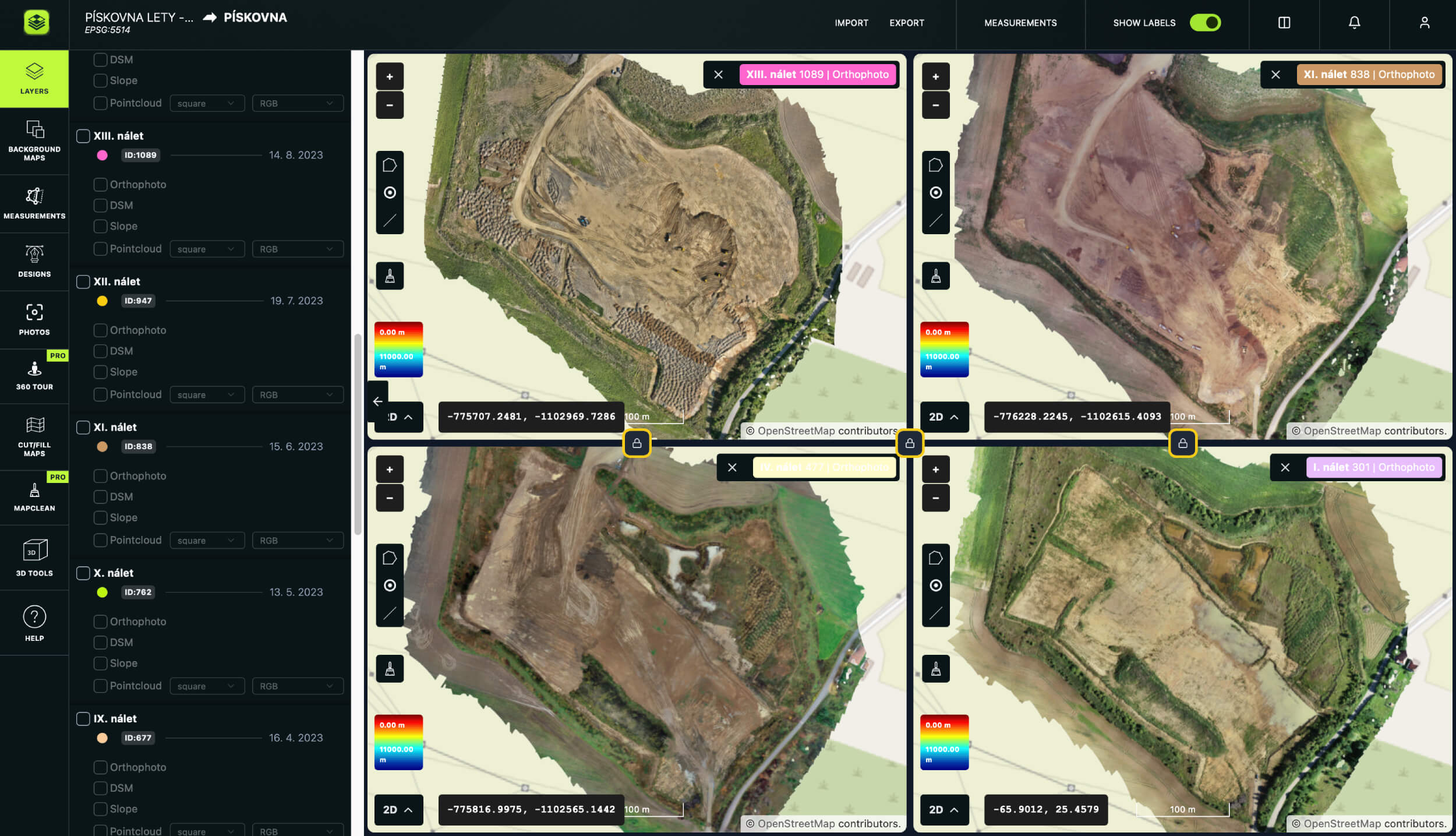
Show exactly how a corridor has changed over any time period
View several survey periods simultaneously: last year’s baseline next to this year’s capture next to a specific zone of concern, all at once. Identify encroachments, track development impact, monitor subsidence, and document change for planning submissions. Load WMS map layers from any state provider alongside your own data, or use Open Street Map as a background reference.
Accessible from any browser, on any device, by any stakeholder.
www.avagpro.com
www.avagpro.com
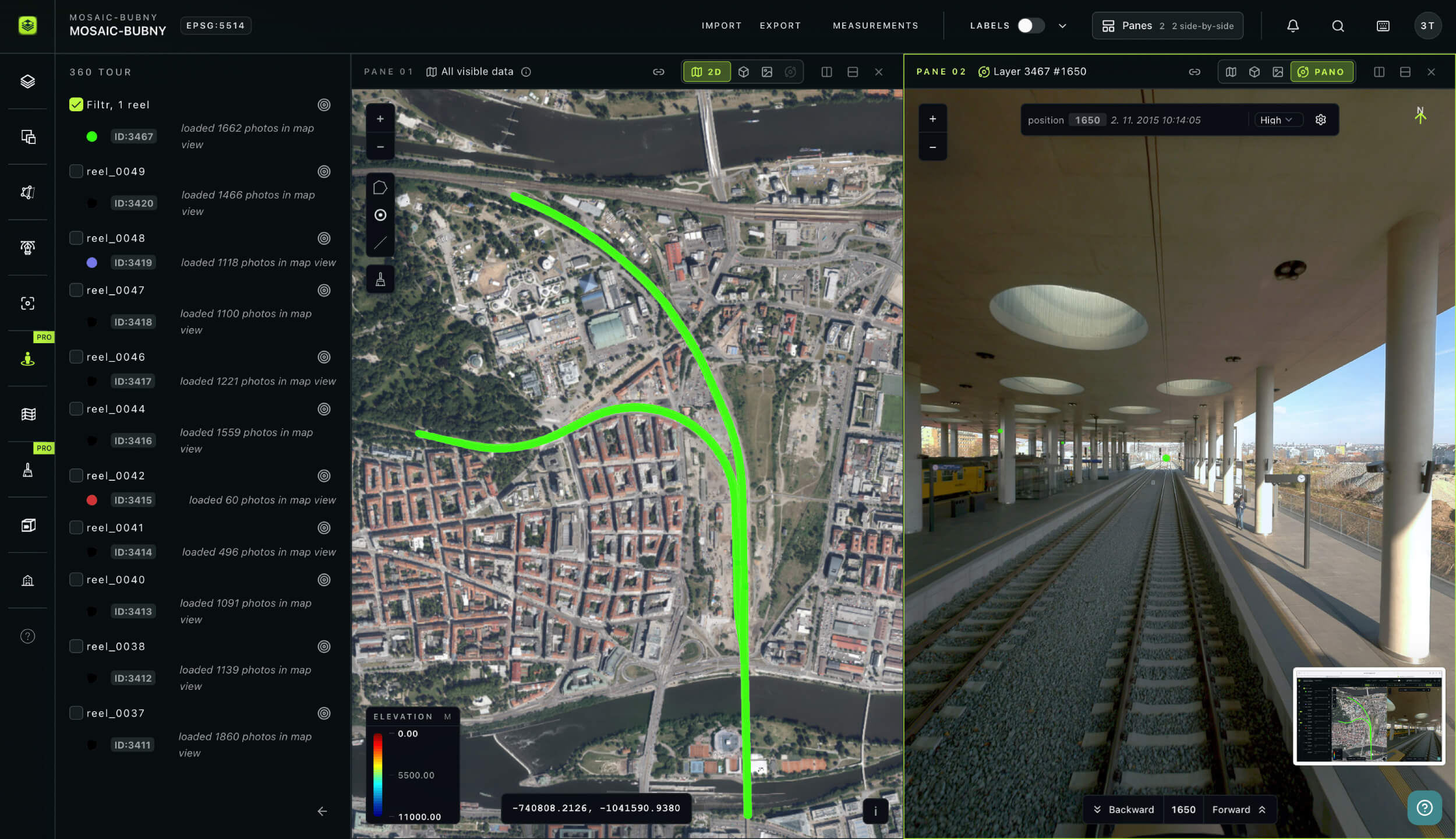
Unified data from any capture method
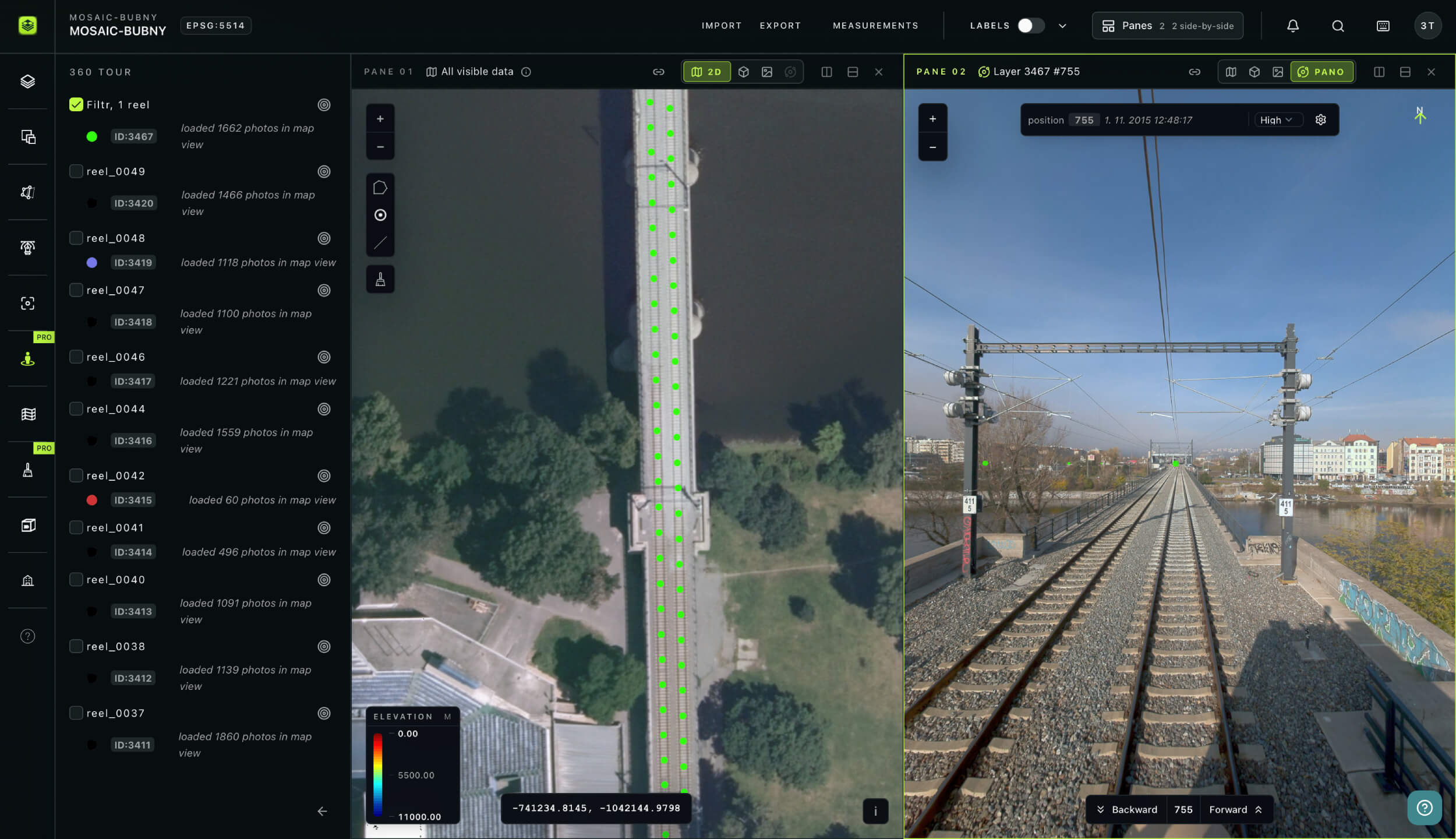
Vehicle-mounted or backpack—everything lands in one place. Whether your team captures with a vehicle-mounted system along a main arterial or a backpack scanner through a pedestrianized zone, all data processes and displays within AVAG. Import processed TIFF orthophotos and DSMs, LAS/LAZ point clouds, or raw JPG imagery. Overlay CAD drawings as DXF files, import GNSS-measured reference points, and add GeoJSON or ShapeFile data from existing municipal datasets, all in the same view. Any coordinate system supported.
Generate orthophotos, point clouds, elevation profiles, and 3D models from a single upload.
Every department, every stakeholder, one subscription
Give every department access to the same current data at no extra cost. Share specific layers, measurements, and other insights among users with controlled rights. When the corridor is resurveyed, every stakeholder sees the updated data automatically. Autosave means nothing is lost between sessions.
www.avagpro.com
Mobile mapping
How AVAG helps local authorities and mapping teams
Capture from a vehicle or backpack, upload to AVAG, and share with every department that needs the visual insights. AVAG turns mobile mapping data into decisions your city runs on.
Learn how the Via Salis team compressed surveying from weeks into days, covering 34 km of highway, bridges, and tunnels, while enabling precise volume calculations and full site collaboration.
tracked with precision

Your new workflow
Monday 9am
Monday 11am
Monday 1pm
Monday 3pm
Monday 4pm
Result
Complete corridor survey processed and shared in one day.
Benefits
Why local authorities choose AVAG
Same-day processing
Capture in the morning, share with departments in the afternoon
No downloadable software required
Any stakeholder can view data in a browser
All formats supported
One platform for every capture method
Unlimited users
Every department using the same subscription at no extra cost
Multi-window comparison
Track corridor change across any time period
Public-ready outputs
Clean visual reports suitable for planning submissions and public consultations
Trusted by market leaders
Start your free trial
14 days • 200 GB storage • No credit card required
Upload your drone data and see results within hours.

Solutions
Frequently asked questions
What is mobile mapping, and how does it differ from drone surveying?
Mobile mapping uses sensors mounted on a moving vehicle or carried by a person, typically combining cameras with LiDAR or GNSS to capture spatial data along a corridor or through an interior space. Unlike drone surveying, which captures data from above, mobile mapping captures data at ground level, making it ideal for road asset inventory, urban corridor documentation, and interior spaces that drones cannot access. AVAG processes and displays data from both capture methods in the same platform.
How does AVAG help local authorities manage corridor mapping data?
AVAG centralizes corridor mapping data in a single platform accessible to all departments without per-seat licensing fees. Planning, transport, engineering, and utilities teams all view the same current dataset in their browser, no specialist software required. When corridors are resurveyed, every department sees updated data automatically without manual redistribution.
What data formats does AVAG accept?
AVAG works with data from most drone platforms and common photogrammetry workflows, so there is no need to change your existing capture setup. If you already process data externally, AVAG imports outputs from Pix4D, Agisoft, 3DSurvey, and DroneDeploy, accepting TIFF orthophotos and DSMs, LAS and LAZ point clouds, and mesh data as a ZIP package containing JPG, OBJ, and MTL files. For raw imagery, AVAG accepts standard RGB JPG files, high-resolution grid photos from Mavic 3E, 360° panoramic images, and imagery captured with or without GPS, all processed directly within the platform. For map visualization and overlay, AVAG supports CAD drawings, WMS services, 3D models, DXF, TXT, CSV, Shapefile, and PDF formats. Any coordinate system is supported, with no reformatting required when switching between client projects or data sources.
How long does data processing take in AVAG?
It depends on dataset size and the accuracy level required. For fast turnaround projects, Automated processing of up to 250 photos without GCPs completes in 35 minutes from upload. For larger or more complex datasets requiring survey-grade accuracy, \rxpert processing of up to 5,000 photos with GCPs completes in around 9 hours, still within the same working day.
Does AVAG support both basic and survey-grade photogrammetry processing?
Yes. AVAG offers Automated processing without ground control points (GCPs) for fast turnaround projects where survey-grade accuracy is not required, and Expert processing with GCPs for projects demanding centimeter-level accuracy.
Do we need expensive computers?
No. The cloud-based platform runs in any browser and works on basic laptops, tablets, or phones. No hardware investment required.
What measurement tools are available for mobile mapping data in AVAG?
AVAG provides 2D and 3D length measurement, area calculation, height and slope measurement, volume calculation, terrain profiling, and automatic cross-section generation along any axis. Polygons, lines, and points draw directly on the dataset in 2D or 3D.
How are mobile mapping results shared with planning authorities and the public?
AVAG supports unlimited user access at no extra cost. All stakeholders access the same dataset through a browser, no software installation required. Results can be exported as PDF reports with annotated maps and measurement summaries, formatted for planning submissions and public-facing documentation. Available in six languages for cross-border or multilingual authority contexts.