Solutions
Spatial data everyone can see, share, and act on
Turn drone and scan outputs into clear, navigable visuals, without a three-week turnaround. AVAG makes complex spatial data legible to anyone who needs to act on it.
Why great data fails to move projects forward
The data existed. The problem was getting it in front of the people who needed to act on it.
Interpretation gap
Point clouds, orthophotos, and 3D meshes mean everything to a surveyor and nothing to a planning committee, a developer, or a community consultation audience.
Revision cycles
When a client asks to see a different area or time period, producing it means going back to the processing pipeline.
Format mismatch
Outputs designed for technical workflows don’t translate into reports, or public-facing documents without significant manual work.
Credibility gap
Raw exports presented in a planning meeting or public consultation undermine confidence rather than building it.
Stakeholders need licensed software and training just to open the files, so most of them never look at the data at all.
Spatial data only influences decisions when the people making those decisions can read it. Most of the time, they can’t.
Show change in a way anyone can follow
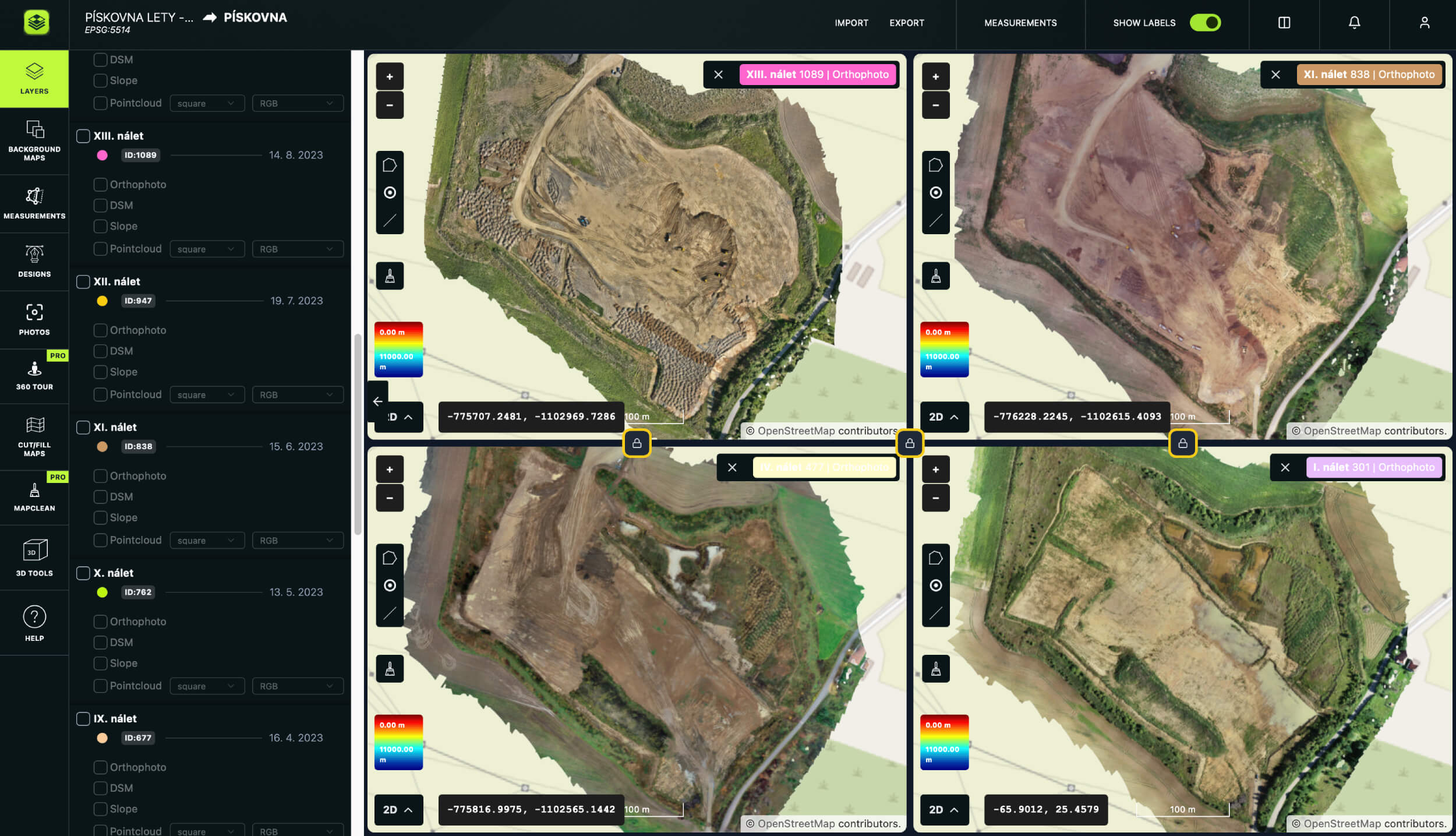
Place several time periods side by side: existing conditions next to proposed changes next to last year’s baseline next to today. Load WMS layers from any state mapping provider or Open Street Map as a background reference, giving non-technical stakeholders immediate geographic context. Walk a planning committee through site progression with a visual that needs no explanation and no software to open.
Accessible in any browser, on any device, by anyone in the room.
www.avagpro.com
www.avagpro.com
From raw data to boardroom-ready in the same workflow
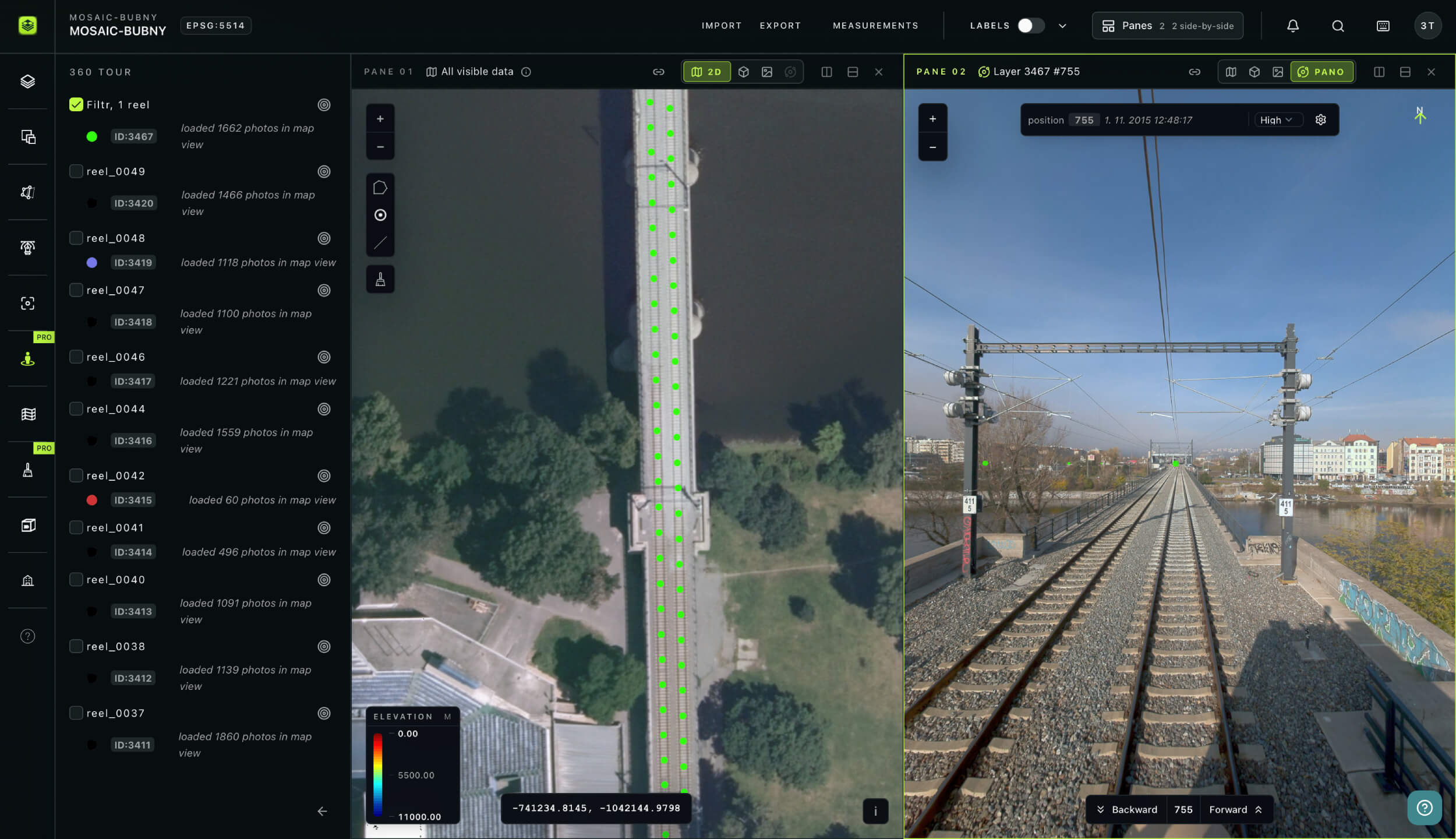
Draw polygons, lines, and points to mark zones, boundaries, and areas of interest. Measure areas, lengths, heights, slopes, and volumes without leaving the platform. Generate elevation profiles and automatic cross-sections along any transect. Add DXF design overlays or import GeoJSON and ShapeFile data from planning systems to show proposed development in context.
Everyone sees the same picture, at the same time
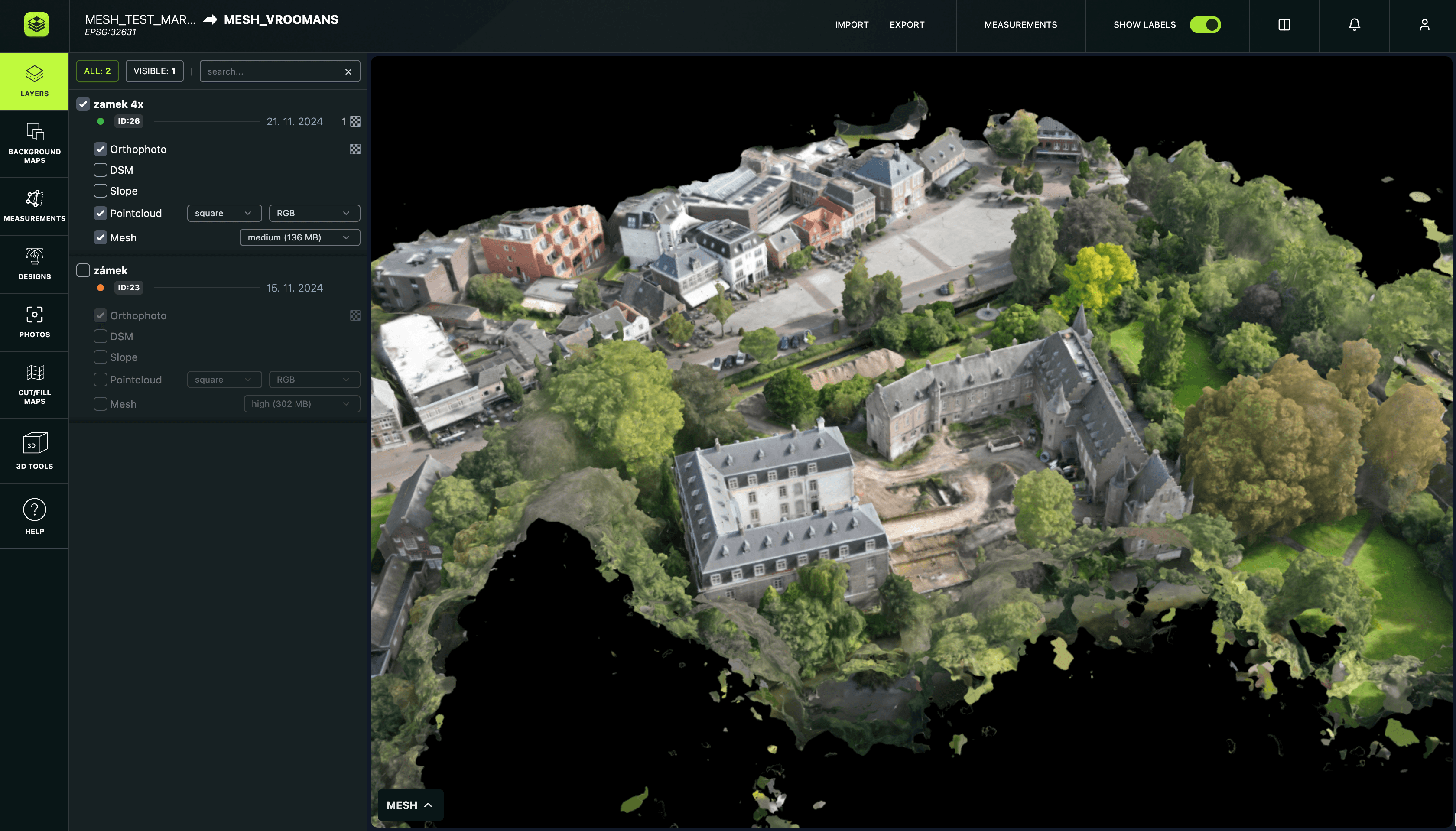
Give every stakeholder direct access to the same current data at no extra cost. Available in six languages (EN, DE, ES, PL, CZ, PT), so international project teams and cross-border submissions need no additional localization. When the data updates, every stakeholder sees it automatically.
www.avagpro.com
Visualization
How AVAG helps developers, planners, and local authorities
Turn drone and scan data into something a planning committee can read, a client can navigate, and a public consultation can be built around. AVAG turns spatial data into visuals that move projects forward.
Read how QTS Group shares railway construction data at scale: with AVAG, their 4-person drone team now supports 99 active users across 800 staff, using instant 2D/3D access to 117 datasets nationwide.
from different teams accessing data and collaborating seamlessly

Your new workflow
Monday 9am
Monday 10am
Monday 12am
Monday 3pm
Monday 3:30pm
Result
From site capture to consultation-ready visuals in one day, without a rendering studio or GIS specialist.
Benefits
Why developers and local authorities choose AVAG for visualization
Non-technical ready
Spatial data presented in a format any stakeholder can navigate
Unlimited stakeholder access
Every party sees the same data at no extra cost per user
Same-day outputs
Capture to consultation-ready visuals without a multi-day production pipeline
No software required
Accessible in any browser, on any device, by anyone
Multi-window comparison
Show change over time in a format that needs no explanation
Trusted by market leaders
Start your free trial
14 days • 200 GB storage • No credit card required
Upload your drone data and see results within hours.

Solutions
Frequently asked questions
How does AVAG make drone and scan data accessible to non-technical stakeholders?
AVAG displays processed drone and scanner data — orthophotos, 3D models, point clouds, and elevation data — in a browser-based interface that requires no specialist software or training to navigate. Non-technical stakeholders including planning committee members, elected officials, investors, and community groups access the same dataset as technical teams, through a link shared from the platform. Annotations, labels, and measurement overlays added by the survey team make spatial relationships immediately legible to any audience.
What visualization tools are available in AVAG?
AVAG provides orthophoto and 3D model display, point cloud visualization with classification and limit boxes, multi-window comparison of up to four datasets simultaneously, cut/fill mapping, terrain profiling, automatic cross-section generation, and polygon, line, and point annotation in 2D and 3D. WMS layers from any state mapping provider and Open Street Map display as background references.
What data formats does AVAG accept?
AVAG works with data from most drone platforms and common photogrammetry workflows, so there is no need to change your existing capture setup. If you already process data externally, AVAG imports outputs from Pix4D, Agisoft, 3DSurvey, and DroneDeploy, accepting TIFF orthophotos and DSMs, LAS and LAZ point clouds, and mesh data as a ZIP package containing JPG, OBJ, and MTL files. For raw imagery, AVAG accepts standard RGB JPG files, high-resolution grid photos from Mavic 3E, 360° panoramic images, and imagery captured with or without GPS, all processed directly within the platform. For map visualization and overlay, AVAG supports CAD drawings, WMS services, 3D models, DXF, TXT, CSV, Shapefile, and PDF formats. Any coordinate system is supported, with no reformatting required when switching between client projects or data sources.
How long does data processing take in AVAG?
It depends on dataset size and the accuracy level required. For fast turnaround projects, Automated processing of up to 250 photos without GCPs completes in 35 minutes from upload. For larger or more complex datasets requiring survey-grade accuracy, \rxpert processing of up to 5,000 photos with GCPs completes in around 9 hours, still within the same working day.
How does the multi-window comparison feature support planning and development projects?
The multi-window feature displays up to four time periods or data layers next to each other: existing site conditions next to a proposed development model next to a historical baseline next to the current state. For planning applications, this creates a clear before-and-after presentation that communicates proposed change without requiring the audience to interpret technical drawings.
Do we need expensive computers?
No. The cloud-based platform runs in any browser and works on basic laptops, tablets, or phones. No hardware investment required.
Can AVAG display data from multiple sources in the same view?
Yes. Drone survey data, hand scanner point clouds, CAD design overlays, WMS map layers, GNSS-measured survey points, and GeoJSON or ShapeFile data from existing systems all display as separate layers within the same AVAG project. Each layer switches on and off independently, allowing presentations to be built up progressively, showing context first, then captured conditions, then proposed changes.
How are visualizations shared with project stakeholders in AVAG?
AVAG supports unlimited users per account at no additional cost. Every stakeholder (developer, architect, planning officer, elected member, community group, or investor) receives access through a shared link. No software installation is required. Rights management controls what each party can view and export. The platform is available in six languages, making it suitable for international development projects and cross-border planning submissions.
Can AVAG be used to present drone data to investors and development boards?
Yes. AVAG’s browser-based interface presents complex spatial data in a format that is navigable by any audience without technical background. Orthophotos, 3D models, and annotated progress comparisons communicate site conditions, development progress, and project milestones clearly, without the preparation time required to produce a rendered presentation from raw survey data. Unlimited user access means every board member receives the same link, seeing the same current data simultaneously.